Stopping Drone Surveillance Over Your Property

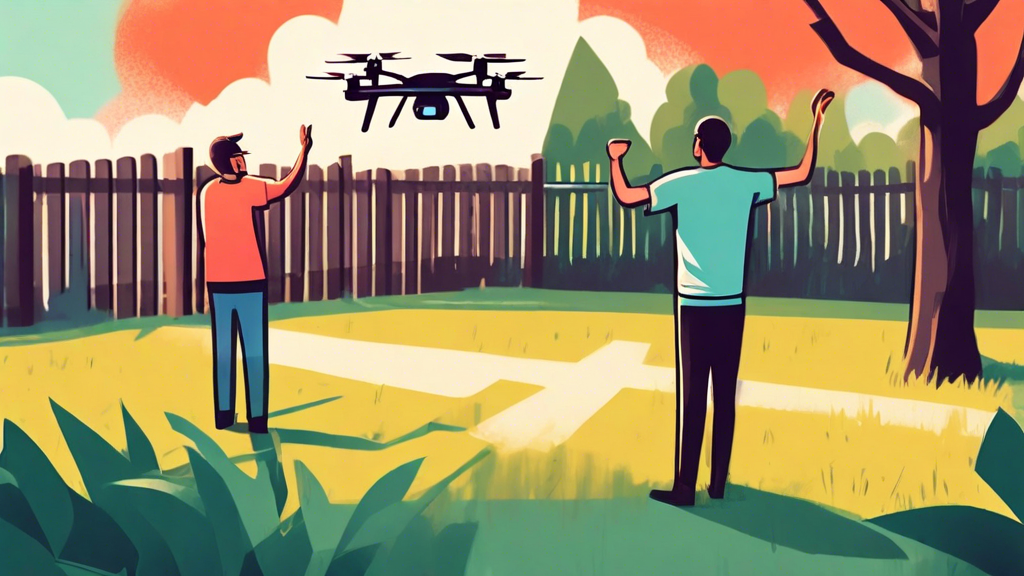
A person waves their fist angrily at a drone hovering over their backyard, which is surrounded by a tall privacy fence

Understanding the Drone Threat

Drones have become increasingly popular in recent years, offering a unique perspective for photography, videography, and even delivery services. However, this rise in drone usage has also led to growing concerns about privacy and security. The possibility of drones being used for surveillance, whether by nosy neighbors, paparazzi, or even criminals, is a legitimate worry for many homeowners.

Identifying Drone Surveillance

Detecting drone surveillance can be tricky, as drones come in various sizes and can operate at different altitudes. However, some telltale signs may indicate a drone is spying on your property:

  • Unusual buzzing or whirring noises.
  • A drone hovering or repeatedly flying over your property.
  • Lights flashing or blinking from the drone at night.

If you suspect a drone is surveilling you, it’s important to gather evidence, such as photos or videos, to support your claim.

Legal Protections Against Drone Surveillance

The legality of drone surveillance is a complex issue, with regulations varying by country, state, and even local municipalities. Generally, laws protect individuals from unreasonable intrusions of privacy. However, the specifics of what constitutes unreasonable can be ambiguous.

Here are some potential legal avenues you can explore:

  • **Federal Aviation Administration (FAA) Regulations:** The FAA has established rules for drone operation, including restrictions on flying over private property without consent. You can report potential violations to the FAA.
  • **State and Local Laws:** Many states and local jurisdictions have enacted or are considering laws specifically addressing drone privacy. Research your local laws to understand your rights and options.
  • **Civil Lawsuits:** If you believe a drone operator has violated your privacy, you may be able to file a civil lawsuit for damages.

Practical Steps to Deter Drone Surveillance

While legal options exist, they can be time-consuming and complex. Here are some practical steps you can take to deter drone surveillance over your property:

  • **Privacy Landscaping:** Plant tall trees or install privacy fences to create physical barriers that obstruct the drone’s view.
  • **Drone Detection Systems:** Consider investing in drone detection technology, which can alert you to the presence of drones in your vicinity.
  • **Anti-Drone Technology:** Explore anti-drone solutions, such as signal jammers or drone capture systems. However, be aware that using such technologies may have legal restrictions.
  • **Talk to Your Neighbors:** If you suspect a neighbor is operating the drone, try having a polite conversation about your concerns. They may be unaware of the intrusion they are causing.
  • **Post No Drone Zone Signs:** While not legally enforceable, visible signs can deter casual drone operators from flying over your property.

The Future of Drone Privacy

As drone technology continues to evolve, so too will the challenges and solutions surrounding drone privacy. It’s crucial to stay informed about the latest regulations and technological advancements to protect your privacy effectively. Advocating for stronger drone privacy laws and supporting responsible drone usage can contribute to a future where we can enjoy the benefits of drones without compromising our right to privacy.


How Fast Can Drones Fly

## DALL-E Prompt:nnA lone astronaut, tethered to a spacecraft, floats amidst a sea of stars, gazing at the vast expanse of a swirling nebula.

Factors Influencing Drone Speed

Several factors influence how fast a drone can fly. Understanding these elements can help you choose the right drone for your needs and optimize its performance.

1. Drone Type and Design

Different drone types are built for various purposes, impacting their speed capabilities. Racing drones, designed for agility and speed, are typically the fastest, reaching speeds of over 100 mph. Photography and videography drones prioritize stability and image quality, resulting in moderate speeds, generally between 40-70 mph. Commercial drones used for deliveries or inspections may prioritize payload capacity and flight time over speed.

2. Motor Power and Efficiency

The power and efficiency of a drone’s motors significantly impact its speed. More powerful motors generate greater thrust, enabling faster acceleration and higher top speeds. Brushless motors, known for their efficiency and power, are commonly found in high-speed drones.

3. Battery Capacity and Discharge Rate

Battery capacity determines the drone’s flight time, indirectly influencing its speed capabilities. High-capacity batteries with a high discharge rate provide the necessary power for sustained high-speed flight. However, larger batteries can also add weight, potentially impacting maneuverability and speed.

4. Aerodynamics and Weight

Aerodynamic design plays a crucial role in reducing drag and improving speed. Drones with sleek, streamlined bodies experience less air resistance, allowing for faster flight. Weight is another critical factor; lighter drones require less power to propel, leading to faster speeds.

5. Wind Conditions and Weather

External factors such as wind speed and direction significantly impact drone speed. Headwinds can slow down a drone, while tailwinds can provide a boost. Adverse weather conditions like rain or snow can increase air density and drag, reducing speed and maneuverability.

Average Drone Speeds for Different Types

Here’s a general overview of average speeds for various drone types:

1. Racing Drones

Racing drones are built for speed and can reach astonishing velocities exceeding 100 mph (160 km/h). Their lightweight design, powerful motors, and aerodynamic frames allow them to navigate complex racecourses with agility and precision.

2. Photography and Videography Drones

Photography and videography drones typically fly at speeds between 40-70 mph (64-112 km/h). While not as fast as racing drones, they offer a balance between speed, stability, and image quality, making them ideal for capturing stunning aerial footage.

3. Commercial and Industrial Drones

Commercial and industrial drones used for deliveries, inspections, or agricultural purposes prioritize payload capacity and flight time. Their speeds vary depending on the specific model and task, generally ranging from 20-50 mph (32-80 km/h).

Tips to Increase Drone Speed

If you’re looking to enhance your drone’s speed, consider these tips:

1. Upgrade Motors and Propellers

Investing in more powerful motors and aerodynamically efficient propellers can significantly boost your drone’s speed and acceleration.

2. Reduce Weight

Remove any unnecessary accessories or components that add weight to your drone. Every gram counts when it comes to maximizing speed.

3. Optimize Battery Performance

Use high-quality batteries with a high discharge rate to ensure your drone receives sufficient power for high-speed flight. Keep your batteries in good condition and avoid extreme temperatures.

4. Fly in Favorable Conditions

Choose calm days with minimal wind for optimal speed performance. Avoid flying in adverse weather conditions that can hinder speed and stability.


Four important updates for the new Magic Keyboard for iPad Pro

A white iPad Pro with a Magic Keyboard levitating in a surreal pink cloudscape with oversized colorful computer keys floating around it.

A Revamped Typing Experience

The latest iteration of the Magic Keyboard boasts several noteworthy enhancements that elevate the typing experience to new heights. The keyboard now features redesigned keys with a more tactile feel, providing a satisfying and responsive typing experience. Additionally, the key spacing has been subtly adjusted for improved accuracy and reduced typos.

Enhanced Trackpad Functionality

Apple has significantly upgraded the trackpad on the Magic Keyboard, making it more spacious and responsive. The increased surface area allows for smoother and more precise cursor control, while improved multi-touch gestures provide a more intuitive way to interact with your iPad Pro.

Improved Viewing Angles

One of the most significant updates to the Magic Keyboard is the introduction of a wider range of viewing angles. The new hinge mechanism allows users to adjust the angle of the iPad Pro more freely, providing greater flexibility for different tasks and viewing preferences. Whether you’re working on a document, watching a movie, or browsing the web, you can now find the perfect angle for optimal comfort and productivity.

Seamless Integration with iPadOS

The Magic Keyboard is designed to work seamlessly with iPadOS, providing a truly integrated experience. The keyboard shortcuts and trackpad gestures are optimized for the iPad’s operating system, allowing you to navigate and control your device with ease. Additionally, the Magic Keyboard features a dedicated USB-C port for pass-through charging, ensuring that your iPad Pro stays powered up while you work.

Additional Features and Considerations

Alongside the key updates mentioned above, the Magic Keyboard retains several features from its predecessor that contribute to its overall functionality and appeal. These include:

  • Full-size backlit keys for comfortable typing in any lighting condition.
  • A durable and protective design that safeguards your iPad Pro from scratches and bumps.
  • Automatic pairing and charging, making it easy to connect and use.

However, it’s important to consider a few factors before investing in the Magic Keyboard:

  • **Cost:** The Magic Keyboard is a premium accessory with a price tag to match.
  • **Weight:** The keyboard adds significant weight to the iPad Pro, making it less portable.
  • **Compatibility:** The Magic Keyboard is only compatible with specific iPad Pro models, so be sure to check compatibility before purchasing.

Conclusion

The new Magic Keyboard for iPad Pro is a significant upgrade over its predecessor, offering a range of enhancements that elevate the typing, viewing, and overall user experience. With its improved keyboard, trackpad, viewing angles, and seamless integration with iPadOS, the Magic Keyboard is an excellent choice for users who want to transform their iPad Pro into a powerful and versatile productivity tool. However, it’s essential to weigh the cost, weight, and compatibility factors before making a decision.

Apple Unveils Thinnest, Lightest iPad Pro and iPad Air Yet

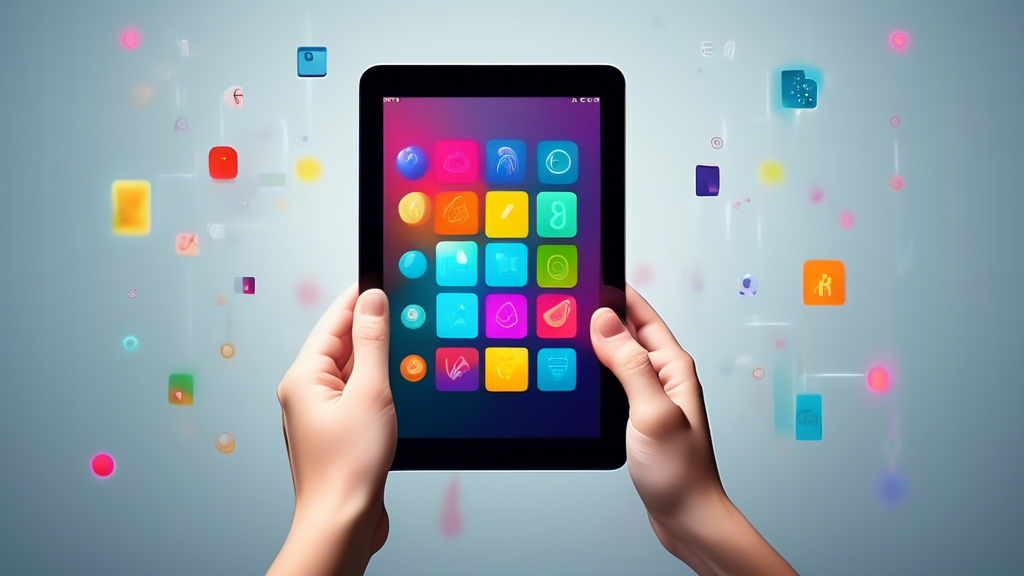
A sleek, thin tablet held in the hand with a brightly lit screen displaying colorful icons against a minimalist background.

Apple Pushes Boundaries with Sleekest iPad Pro and iPad Air

In a much-anticipated launch event, Apple unveiled its latest iterations of the iPad Pro and iPad Air, boasting remarkable advancements in design and performance. These new models showcase Apple’s unwavering commitment to innovation, pushing the boundaries of what’s possible in the tablet realm.

A New Era of Portability and Power

The standout feature of both the iPad Pro and iPad Air is their exceptional thinness and lightness. Apple’s engineers have meticulously crafted these devices to be incredibly portable without compromising on power or functionality. The iPad Pro, renowned for its professional-grade capabilities, now boasts an even slimmer profile, making it ideal for users on the go. Similarly, the iPad Air, known for its balance of performance and affordability, has undergone a weight reduction, enhancing its portability for everyday use.

Unparalleled Performance with M-Series Chips

At the heart of these new iPads lies Apple’s groundbreaking M-series chips. The iPad Pro is powered by the formidable M2 chip, delivering exceptional speed and efficiency. This chip empowers users to effortlessly handle demanding tasks, from professional video editing to complex 3D design. The iPad Air, on the other hand, features the M1 chip, which provides a significant performance boost compared to its predecessor.

Stunning Displays for Immersive Experiences

Apple has always been at the forefront of display technology, and these new iPads are no exception. The iPad Pro boasts a Liquid Retina XDR display, offering stunning visuals with exceptional brightness, contrast, and color accuracy. Whether you’re editing photos, watching movies, or creating digital art, the iPad Pro’s display delivers an immersive visual experience. The iPad Air features a Liquid Retina display, which also provides vibrant colors and sharp details, making it perfect for entertainment and productivity.

Enhanced Cameras for Capturing Every Moment

Both the iPad Pro and iPad Air come equipped with advanced camera systems that elevate your photography and videography capabilities. The iPad Pro features a pro camera system with a 12MP Wide camera and a 10MP Ultra Wide camera, allowing you to capture stunning photos and videos with incredible detail. Additionally, the LiDAR Scanner enables advanced depth-sensing capabilities, opening up new possibilities for augmented reality experiences. The iPad Air also boasts a 12MP Wide camera that captures high-quality photos and videos, making it perfect for documenting your everyday moments.

iPadOS: Unleashing the Power of iPad

These new iPads run on iPadOS, Apple’s powerful operating system designed specifically for the iPad. iPadOS enhances the tablet experience with intuitive multitasking features, support for the Apple Pencil, and a vast library of iPad-optimized apps. With iPadOS, you can seamlessly switch between apps, take handwritten notes, and unleash your creativity with a wide range of apps designed to take advantage of the iPad’s capabilities.

Connectivity and Accessories

The new iPad Pro and iPad Air offer a range of connectivity options to keep you connected wherever you go. Wi-Fi 6 ensures fast and reliable wireless connections, while optional cellular models provide the flexibility to stay connected on the move. Additionally, both iPads support the latest Apple Pencil and Magic Keyboard, transforming them into versatile productivity and creativity tools.

A Commitment to Sustainability

In line with Apple’s commitment to environmental responsibility, the new iPad Pro and iPad Air are designed with sustainability in mind. They feature recycled materials in key components, reducing their environmental impact. Apple’s efforts towards sustainability extend to its packaging, which is made from responsibly sourced materials.

Conclusion

The latest iPad Pro and iPad Air represent a significant leap forward in tablet technology. With their exceptional design, powerful performance, stunning displays, and advanced features, these iPads empower users to do more than ever before. Whether you’re a creative professional, a student, or simply someone who values portability and performance, the new iPad Pro and iPad Air offer an unparalleled tablet experience.

A Summary of Apple’s Latest Announcements

A 3D rendering of a giant bitten apple with a glowing white outline, surrounded by smaller, floating icons of Apple products and services

Apple Event 2023: A Glimpse into the Future

The tech world eagerly awaited Apple’s annual event, and as always, the company didn’t disappoint. From groundbreaking hardware reveals to exciting software updates, here’s a comprehensive summary of Apple’s latest announcements that are set to shape the future of technology.

The iPhone 15 Series: A New Era of Innovation

Apple unveiled the highly anticipated iPhone 15 series, pushing the boundaries of smartphone technology. The lineup includes the iPhone 15, iPhone 15 Plus, iPhone 15 Pro, and iPhone 15 Pro Max. All models boast significant upgrades, including:

  • **A17 Bionic Chip:** Delivering unparalleled performance and efficiency, the new A17 Bionic chip sets a new standard for mobile processing power.
  • **Enhanced Camera Systems:** The iPhone 15 series introduces advanced camera capabilities, with larger sensors, improved low-light performance, and innovative computational photography features.
  • **Dynamic Island Expansion:** The Dynamic Island, introduced in the previous generation, expands its functionality, offering more interactive and intuitive ways to access information and control apps.
  • **USB-C Adoption:** Embracing the future of connectivity, the iPhone 15 series adopts the USB-C standard, providing faster charging and data transfer speeds.

Apple Watch Series 9 and Apple Watch Ultra 2: Empowering Health and Adventure

Apple continues its commitment to health and fitness with the Apple Watch Series 9 and Apple Watch Ultra 2. These new iterations come with a range of exciting features:

  • **Advanced Health Sensors:** New sensors enable more comprehensive health tracking, including blood glucose monitoring and body temperature sensing.
  • **Enhanced Fitness Tracking:** The Apple Watch Series 9 and Ultra 2 offer improved workout tracking, with more detailed metrics and personalized insights.
  • **Rugged Design and Extended Battery Life:** The Apple Watch Ultra 2 caters to adventurers and athletes with its durable design and extended battery life.

iOS 17 and watchOS 10: A Seamless Ecosystem

Apple’s latest software updates, iOS 17 and watchOS 10, enhance the user experience and seamlessly integrate with the new hardware releases. Key highlights include:

  • **Personalized Communication:** iOS 17 introduces new ways to personalize communication, including custom contact posters and live voicemail transcription.
  • **Enhanced Focus Modes:** Focus Modes receive updates to further minimize distractions and improve productivity.
  • **Redesigned Home Screen:** watchOS 10 features a redesigned home screen with widgets for quick access to information and improved navigation.
  • **Mental Health Features:** Both iOS 17 and watchOS 10 incorporate features that promote mental well-being, including mood tracking and mindfulness exercises.

Augmented Reality Takes Center Stage

Apple continues to invest in augmented reality (AR) technology, showcasing its potential to revolutionize various aspects of our lives. The event highlighted several AR advancements:

  • **ARKit Enhancements:** ARKit, Apple’s AR development platform, receives significant updates, enabling more realistic and immersive AR experiences.
  • **New AR Apps and Games:** Apple demonstrated a range of innovative AR apps and games, showcasing the potential of AR for education, entertainment, and productivity.

A Glimpse into the Future

Apple’s latest announcements demonstrate the company’s commitment to innovation and its vision for the future. With advancements in hardware, software, and augmented reality, Apple continues to shape the way we interact with technology and the world around us.

New Final Cut Pro iPad apps transform tablet into powerful multicam studio

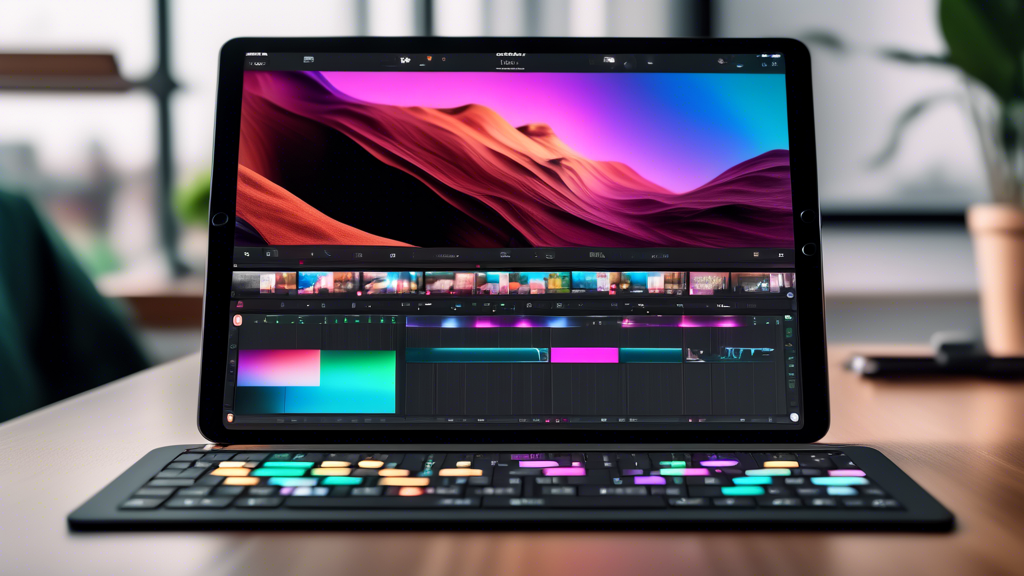
A sleek black iPad Pro displaying the Final Cut Pro interface with multiple video feeds open, showcasing a multicam editing session.

Apple Unveils Final Cut Pro and Logic Pro for iPad, Revolutionizing Mobile Content Creation

In a groundbreaking move, Apple has introduced Final Cut Pro and Logic Pro for iPad, empowering creators with professional-grade video and music editing capabilities on their tablets. These highly anticipated apps leverage the power and portability of iPad to provide a seamless and intuitive creative experience, transforming the iPad into a true mobile studio.

Final Cut Pro for iPad: Multicam Editing and Pro Workflow on the Go

Final Cut Pro for iPad brings the core features and functionality of its desktop counterpart to the tablet, optimized for touch-based interaction. Editors can now harness the power of multicam editing, allowing them to effortlessly synchronize and switch between multiple video angles with just a tap. The intuitive Magnetic Timeline makes arranging clips and storylines a breeze, while the jog wheel provides precise control over editing and playback.

The app also introduces a range of innovative tools designed specifically for iPad. Live Drawing allows users to draw and write directly on top of video content using Apple Pencil, while Pro Camera Mode offers granular control over focus, exposure, and white balance for capturing professional-quality footage within the app. Additionally, creators can import media from Files or Photos and seamlessly share projects with Final Cut Pro on Mac for further refinement.

Logic Pro for iPad: A Complete Music Production Studio in Your Hands

Logic Pro for iPad redefines mobile music creation, offering a comprehensive set of tools for composing, recording, editing, and mixing professional-grade audio. The app features a vast collection of instruments and effects plugins, including vintage EQs, compressors, and reverbs, as well as a powerful sampler and drum machine.

Musicians can take advantage of Multi-Touch gestures to play software instruments with incredible expressiveness and record their performances directly into Logic Pro. The app also supports the use of external hardware such as MIDI keyboards and audio interfaces, expanding creative possibilities. With iCloud integration, projects can be seamlessly shared between Logic Pro for iPad and Mac, enabling a flexible workflow.

Unleashing the Potential of iPad for Content Creators

The arrival of Final Cut Pro and Logic Pro on iPad marks a significant milestone in mobile content creation. These professional applications, combined with the iPad’s portability and performance, empower creators to work on their projects from anywhere, whether on location, in the studio, or on the go.

The intuitive touch interface and Apple Pencil support make editing and music production more accessible and engaging, while the integration with iCloud and desktop counterparts ensures a smooth workflow across devices. With these powerful tools at their fingertips, creators can truly unleash their creativity and produce professional-quality content wherever inspiration strikes.

Spotting Drones at Night

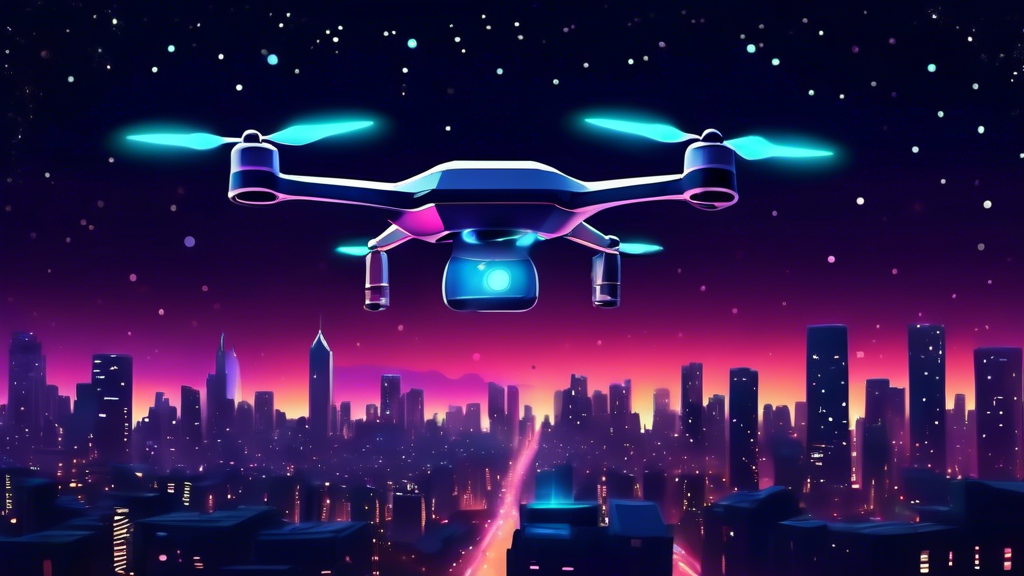
A lone futuristic drone with glowing lights flying through a dark, starry night sky over a city skyline

Understanding Drone Lights and Visibility

Drones, also known as unmanned aerial vehicles (UAVs), have become increasingly popular for both recreational and commercial purposes. While they are easily recognizable during the day, spotting drones at night can be a challenge. Understanding how drones look and behave at night is crucial for identification and safety reasons.

Most drones are equipped with LED navigation lights to enhance visibility, especially during low-light conditions. These lights typically come in various colors, including:

  • Red: Often indicates the rear of the drone.
  • Green: Usually marks the right side of the drone.
  • White: Commonly found on the front or top of the drone.

The configuration and color of these lights can vary depending on the drone model and manufacturer. Additionally, some drones may have additional lighting features, such as flashing or strobing lights, for enhanced visibility or specific functionalities.

Factors Influencing Drone Visibility at Night

Several factors can affect how easily a drone can be spotted at night:

  • Ambient Light Conditions: In areas with significant light pollution, drone lights may be less noticeable. Conversely, in dark rural environments, even faint drone lights can stand out.
  • Drone Size and Altitude: Larger drones with more powerful lights are generally easier to see than smaller ones. Similarly, drones flying at higher altitudes may appear as distant, twinkling lights.
  • Weather Conditions: Fog, mist, or precipitation can significantly reduce visibility, making it harder to spot drones at night.
  • Observer’s Position and Visual Acuity: The observer’s location and eyesight play a role in drone detection. A person with good vision standing on higher ground will likely spot a drone more easily than someone with poor vision at ground level.

Distinguishing Drones from Other Objects

At night, several objects in the sky can be mistaken for drones, such as:

  • Aircraft: Airplanes and helicopters typically have distinct lighting patterns and often appear larger and brighter than drones.
  • Stars and Planets: Celestial objects usually maintain a fixed position in the sky, while drones exhibit movement.
  • Satellites: Satellites can appear as slow-moving, bright dots of light, but they generally follow a predictable path.

To differentiate drones from these objects, it’s important to observe the object’s movement patterns, light characteristics, and size. Drones often exhibit hovering or erratic movements, have distinct blinking or colored lights, and appear relatively small compared to aircraft.

Tips for Spotting Drones at Night

Here are some helpful tips for identifying drones in the night sky:

  • Look for Moving Lights: Pay attention to lights that are moving independently of stars, planets, or aircraft.
  • Observe Light Patterns: Note the color, blinking patterns, and intensity of the lights, as these can provide clues about the type of drone.
  • Listen for Sounds: Drones often emit a buzzing or whirring sound, which can help pinpoint their location.
  • Use Binoculars or a Telescope: Optical aids can enhance visibility and provide a closer look at the object in question.
  • Consider the Context: Think about the location and the likelihood of drone activity in that area.

Safety and Privacy Concerns

While drone technology offers numerous benefits, it also raises safety and privacy concerns, especially at night. Drones flown recklessly or without proper lighting can pose a risk to manned aircraft and people on the ground. Additionally, drones equipped with cameras can potentially invade privacy if not operated responsibly.

It’s essential for drone operators to adhere to local regulations and fly their drones safely and ethically, particularly during nighttime hours. Individuals who observe suspicious or unsafe drone activity should report it to the appropriate authorities.

Drone Prices

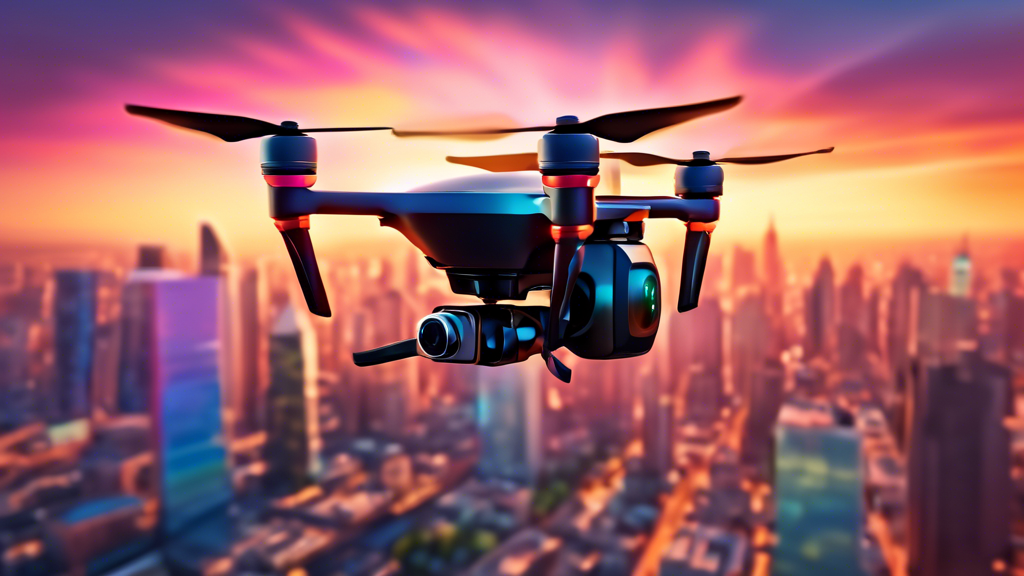
A photorealistic image of a sleek and modern drone hovering in a vibrant city skyline at sunset, with its camera pointed down towards the bustling streets below.

Introduction to Drone Prices

Drones have become increasingly popular in recent years, serving various purposes from aerial photography and videography to surveillance, delivery, and even racing. With such a wide range of applications, it’s no surprise that the drone market offers a diverse selection of models with varying capabilities and price points. Understanding the factors that influence drone prices can help you make an informed decision when choosing the right one for your needs.

Factors Affecting Drone Costs

Several key factors contribute to the overall cost of a drone:

1. Size and Type

Drones come in various sizes, from small, palm-sized models to large, professional-grade platforms. Generally, larger drones with more advanced features tend to be more expensive. Additionally, the type of drone, such as camera drones, racing drones, or industrial drones, can influence the price due to specialized components and capabilities.

2. Camera Quality

For drones equipped with cameras, the image and video quality significantly impact the price. Drones with high-resolution cameras, larger sensors, and advanced features like gimbal stabilization and zoom lenses will come at a premium cost.

3. Flight Time and Range

The battery life of a drone determines its flight time, while the range refers to the distance it can travel from the controller. Drones with longer flight times and extended ranges often require more powerful batteries and advanced communication systems, contributing to a higher price tag.

4. Features and Technology

Modern drones boast a wide array of features that enhance their functionality and ease of use. These features may include obstacle avoidance sensors, GPS navigation, autonomous flight modes, follow-me capabilities, and return-to-home functions. The inclusion of such advanced technologies typically increases the cost of the drone.

5. Brand and Build Quality

Established drone manufacturers with a reputation for quality and reliability often price their products at a premium. Additionally, drones built with high-quality materials and robust construction tend to be more expensive but offer greater durability and longevity.

Price Ranges for Different Drone Categories

To give you a better understanding of drone prices, let’s explore some common categories and their typical price ranges:

1. Toy Drones

Toy drones are small, affordable options ideal for beginners and recreational use. They typically have limited features and flight times but offer a fun introduction to drone flying. Prices for toy drones usually range from $20 to $100.

2. Entry-Level Drones

Entry-level drones provide a step up from toy drones, offering better camera quality, longer flight times, and basic features like altitude hold and headless mode. Prices for entry-level drones generally fall between $100 and $500.

3. Mid-Range Drones

Mid-range drones strike a balance between affordability and performance, featuring improved camera capabilities, longer flight times, and advanced features like GPS navigation and obstacle avoidance. Prices for mid-range drones typically range from $500 to $1,500.

4. Professional Drones

Professional drones are designed for commercial applications and demanding tasks, offering top-of-the-line camera systems, extended flight times, and advanced features like obstacle avoidance, autonomous flight modes, and high payload capacity. Prices for professional drones can range from $1,500 to several thousand dollars.

Tips for Choosing a Drone

When selecting a drone, consider the following tips:

  • **Define your needs and budget:** Determine the primary purpose of the drone and set a realistic budget.
  • **Research different models:** Compare features, specifications, and prices of various drones within your budget.
  • **Read reviews and watch videos:** Gain insights from other users’ experiences to assess the drone’s performance and reliability.
  • **Consider additional costs:** Factor in the cost of accessories, spare batteries, and potential repairs.
  • **Choose a reputable brand:** Opt for drones from established manufacturers with a proven track record.

Drone Range Limits

A drone pilot holding a remote control, looking up at a drone flying very far away.

Factors Affecting Drone Range

Several key factors influence how far a drone can fly:

1. Drone Type and Model

Different drone models boast varying capabilities. Consumer drones generally have shorter ranges compared to professional or industrial drones. For instance, entry-level drones might have a range of a few hundred meters, while high-end models can reach several kilometers.

2. Battery Life

Battery life is a critical constraint on drone range. The longer the battery lasts, the further a drone can travel. Factors like battery capacity, drone weight, and flight conditions impact battery life. Opting for drones with larger battery capacities or carrying spare batteries can extend flight times.

3. Signal Strength and Interference

Drones rely on radio signals to communicate with their controllers. Obstacles like buildings, trees, or electromagnetic interference can weaken the signal and limit range. Flying in open areas with minimal interference optimizes signal strength and range.

4. Weather Conditions

Adverse weather conditions like strong winds, rain, or snow can significantly reduce drone range. Wind resistance drains battery faster, while rain and snow can impair drone functionality. It’s crucial to monitor weather forecasts before flying and avoid operating drones in challenging conditions.

5. Regulations and Airspace Restrictions

Aviation authorities impose regulations on drone flights, including altitude and distance limits. In many regions, drones must remain within the operator’s visual line of sight (VLOS). These regulations can restrict how far a drone can fly legally.

Pushing the Limits of Drone Range

Several techniques and technologies can help extend drone range:

1. Range Extenders

Range extenders amplify the communication signal between the drone and controller, effectively increasing the operational range. These devices can be helpful for applications requiring long-distance flights.

2. First-Person View (FPV) Systems

FPV systems allow drone pilots to see a live video feed from the drone’s camera, enabling them to fly beyond visual line of sight (BVLOS) in certain situations. This technology opens up possibilities for longer-range missions.

3. Autonomous Flight Modes

Advanced drones often feature autonomous flight modes, allowing them to follow pre-programmed flight paths or waypoints. This reduces reliance on continuous manual control and can extend range by optimizing flight efficiency.

4. Hybrid Drones

Hybrid drones combine electric power with internal combustion engines, offering extended range and flight times. These drones are suitable for applications requiring longer endurance.

Conclusion

Drone range is influenced by various factors, including drone type, battery life, signal strength, weather, and regulations. Understanding these factors and implementing techniques like range extenders, FPV systems, and autonomous flight modes can help push the limits of drone range. However, it’s crucial to prioritize safety and adhere to local regulations when operating drones.

The Inventors Behind Drone Technology

A portrait of a diverse group of inventors collaborating on a drone design in a futuristic workshop, blueprints and tools scattered around, with a completed drone prototype hovering in the background

Tracing the Roots of Unmanned Flight: Early Innovations

The concept of unmanned aerial vehicles (UAVs), or drones as we commonly know them, predates their modern popularity by over a century. The earliest attempts at creating pilotless flying machines emerged in the mid-19th century, driven by military interests and scientific curiosity.

Austria’s Pioneering Balloon Bombardment

In 1849, Austria launched a unique attack on Venice using unmanned balloons filled with explosives. This event marked one of the first instances of using aerial technology for warfare without a human pilot on board. While rudimentary in design and lacking controlled flight, these balloon bombs laid the groundwork for future UAV development.

Tesla’s Vision of Remote-Controlled Vehicles

The visionary inventor Nikola Tesla envisioned the potential of remote-controlled vehicles in the late 19th century. In 1898, he demonstrated a radio-controlled boat, showcasing the possibility of guiding machines without direct human intervention. Tesla’s work on wireless communication and remote control laid the foundation for future drone technology.

20th Century Advancements: From World Wars to Modern Drones

The 20th century witnessed significant advancements in aviation technology, which directly influenced the development of drones. The two World Wars, in particular, spurred innovation in unmanned flight as countries sought new ways to gain aerial advantage.

World War I: The Kettering Bug and Aerial Torpedoes

During World War I, the development of the Kettering Bug by Charles Kettering marked a significant step toward autonomous aerial vehicles. This pilotless aircraft, intended as an aerial torpedo, utilized a gyroscope for guidance and a preset timer to control its flight path. Though not fully successful in its implementation, the Kettering Bug demonstrated the growing potential of unmanned flight.

Interwar Period: Target Drones for Military Training

The period between the two World Wars saw the development of radio-controlled aircraft used as target drones for military training purposes. These drones provided a realistic training environment for anti-aircraft gunners and fighter pilots, preparing them for combat scenarios.

World War II: Advancements in Radio Control and Jet Propulsion

World War II further accelerated drone technology advancements. Radio control systems became more sophisticated, allowing for greater control and maneuverability of unmanned aircraft. Additionally, the advent of jet propulsion opened up new possibilities for drone speed and performance.

Post-War Era: The Rise of Surveillance and Reconnaissance Drones

Following World War II, the focus of drone development shifted towards reconnaissance and surveillance applications. The Cold War fueled the need for intelligence gathering, and drones provided a valuable tool for observing enemy territory without risking human pilots. The development of real-time video transmission further enhanced the capabilities of surveillance drones.

Modern Drone Era: Technological Advancements and Diverse Applications

The late 20th and early 21st centuries have witnessed an explosion in drone technology, driven by advancements in electronics, materials science, and software. Today, drones are used for a wide range of applications beyond military purposes, including:

Commercial and Civilian Uses:

  • Aerial photography and videography
  • Package delivery
  • Infrastructure inspection
  • Precision agriculture
  • Search and rescue operations
  • Environmental monitoring

Recreational Use:

Drones have also gained immense popularity among hobbyists and enthusiasts, who use them for recreational purposes such as aerial photography, racing, and simply enjoying the experience of flight.